After years of testing online casinos for Canadian players, I’ve learned one thing above all: speed matters https://betonreds.eu/en-ca/. You arrive at a site and you want to play, not wander. You’re searching for the newest slot, a live blackjack table, or your welcome bonus. So when BetOnRed Casino launched its Quick Menu feature, I took notice. This is more than a small adjustment. It’s a redesign of how you move around the site, built for efficiency. For players from Vancouver to St. John’s, a fast, direct gaming experience is key. BetOnRed’s new tool cuts out the clutter. As a reviewer, I like smart design. This feature shows they know what players want now—immediate access, with no fuss.
What Is the BetOnRed Quick Menu Operate?
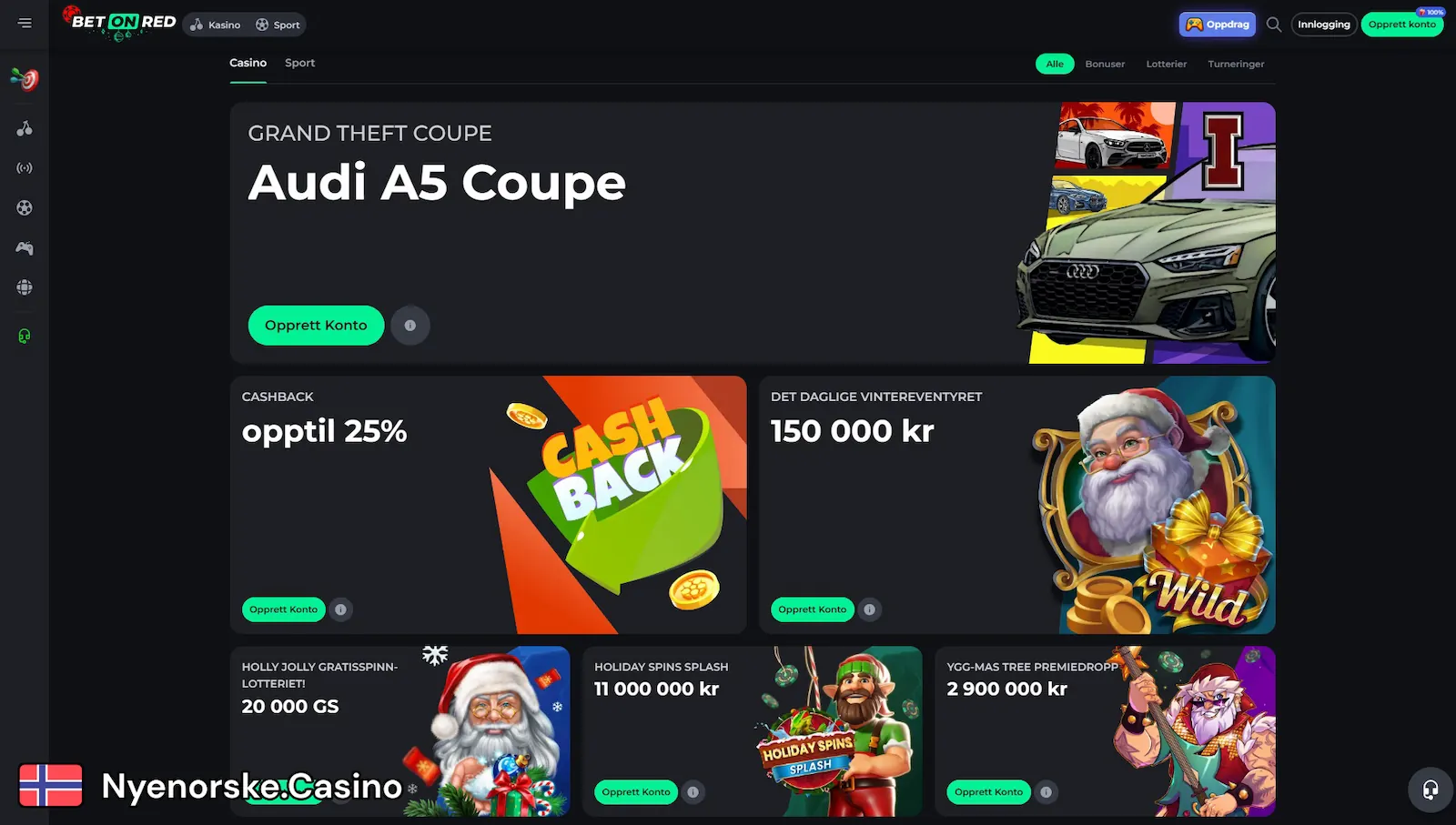
The BetOnRed Quick Menu is a navigation bar that stays with you. It provides you one-click entry to the casino’s most important zones from any page. Classic menus can get hidden or require you to scroll all the way back up. This one remains fixed, usually anchored to the side of your screen. During my tests, it transformed how I used the site. Imagine this: you’re in the middle of a slot game and you want to see the live casino. Instead of clicking back through several pages, you select the Quick Menu. You’re there. It’s built to save your time, eliminating extra steps and placing games, cashier options, and promotions right where you require them. In Canada, where internet quality can vary from province to province, this kind of efficiency guarantees a more consistent session.
Core Features of the Updated Navigation Tool
Let’s explore what it truly does. The Quick Menu is not a simple link list. It works like a control panel. I observed direct shortcuts to the Sportsbook, Live Casino, Slots, and Promotions page. It also features a quick-deposit button and a link to your account summary. What was impressive was its smart adaptability; the menu subtly shifts its priorities based on where you are, suggesting logical next moves. The appearance is clean and quiet, using simple icons and little text so it doesn’t crowd your game. BetOnRed’s team clearly did their research, finding where casino navigation drags and building this tool to fix it. That level of detail makes a difference in Canada’s crowded iGaming scene.
How Canadian Players Benefit from Quicker Navigation
This quicker navigation assists Canadian players in a few concrete ways. It honors our time. Perhaps you have a short lunch break in Toronto or you’re relaxing after work in Calgary. Getting to your game in seconds means more time actually playing. It also enables you discover new things. With easier trips to different game types and offers, I wound up trying titles and bonuses I may have skipped with a more awkward interface. That’s a big assistance for newcomers facing BetOnRed’s large game library. Last but not least, it makes routine jobs more straightforward, like making a deposit or looking over a bonus’s rules. The money and promotion side of gaming appears more transparent and less overwhelming. It’s an upgrade designed around the player, created for the Canadian audience.
Evaluating the Former vs. Current BetOnRed Platform Feel
I’ve tested BetOnRed prior to and following this overhaul, and the difference is apparent. The previous navigation operated, but it used a standard, hierarchical path. To reach different areas, you often had to go back to the home screen or dig through a lengthy main navigation. The updated design, with the Quick Menu at its core, moves away from that. It’s the difference between looking a big box store for one item and receiving a guide to bring it to you. Cutting taps and screen refreshes isn’t just practical; it also makes your session seem more reliable, particularly on a smartphone. This move from a standard layout to a dynamic, constant command center is a significant improvement. It demonstrates BetOnRed’s service is growing and that they’re dedicated about a enhanced time for their Canadian players.
Step-by-Step Guide to Using the Quick Menu
Accessing the Quick Menu is easy. Once you log into your BetOnRed account, you’ll see the new element immediately. Here’s how to learn it:
- Locate the Menu: Identify the compact, icon-based bar on your screen. It’s typically on the left or right edge.
- Check the Icons: Hover your mouse or tap each icon to check its label. You’ll commonly find “Sports,” “Live,” “Slots,” “Promos,” “Cashier,” and “Account.”
- Perform a Quick Jump: Tap where you want to go. You’ll jump there right away, no matter what page you were on before.
- Use the Quick Deposit: Click the cashier or banking icon to trigger a deposit pop-up without exiting your game.
- Personalize Your View: Some versions let you set or rearrange your favorite sections for even more rapid access.
Desktop vs. Mobile: Performance of the Quick Menu
Every new feature needs to work on all devices, and the Quick Menu delivers. On a desktop, it is a smooth sidebar that fits right in. But on mobile is where it becomes vital for the Canadian player on the move. The menu changes into a mobile-friendly footer or a compact icon menu, giving you the same immediate access without consuming your screen. I tested it on iPhones and Android phones across different Canadian networks, and it performed well every time. The animations are fluid, and navigating between sections feels snappy. Experiencing the same feel on desktop and mobile is important. It signifies players who switch between devices get a steady, fast way to move around, which cements BetOnRed as a top option for phone-based play.
Improving Game Discovery and Bonus Claiming
From my experience, the Quick Menu’s best aspect might be how it helps you locate games and claim bonuses. By placing a direct “Promotions” shortcut always in sight, BetOnRed makes their deals harder to ignore. I noticed myself checking for new bonuses more often because it took no hassle. In the same fashion, with one-tap entrance to big groups like “Slots” and “Live Casino,” I was more inclined to try a new game release or a different live dealer studio. This design doesn’t just track your old habits; it encourages better behaviors. In the Canadian market, where casinos compete hard with bonuses and game selections, establishing this fluid way to exploration is a smart play. It helps the player access more benefits and helps the casino achieve more activity with all it provides.
Upcoming Updates and User Feedback Potential
Rolling out the Quick Menu lays the groundwork for exciting updates at BetOnRed. A tool like this can expand and get better based on feedback from Canadian players. I could see future versions allowing you to add custom shortcuts, maybe placing your three favorite games right to the menu. It might even show live alerts for personal bonus offers or tournament invites. The system is now ready for a more personal touch. BetOnRed has shown they’ll introduce new features with this release, and I’m curious to see how they use this system to learn about user preferences. They could adapt the platform more closely to what players in Montreal, Winnipeg, or Halifax actually do. It’s a flexible base for what comes next.
Frequently Asked Questions
What precisely is the BetOnRed Quick Menu?
The BetOnRed Quick Menu is a new navigation bar that’s constantly on screen. It offers one-click shortcuts to essential parts of the casino: games, sportsbook, live dealer, promotions, and banking. It’s intended to save you time by being present on every single page, which speeds up your movement around the site for a better overall experience in Canada.
Can I use the Quick Menu on mobile devices?
Yes, it is. The Quick Menu works perfectly on both iOS and Android. On a phone, it typically shows up as a touch-friendly footer or a small icon menu. It offers the same fast navigation as on a computer. In my tests, it worked well on Canadian cellular and home Wi-Fi, making it great for playing anywhere.
Is it possible to customize the Quick Menu with my favorite links?
The current version has a selection of core shortcuts that work for most people. The design appears like it could support customization later. It would be a natural fit for letting players pin favorite games or specific pages. Right now, it provides you the fastest routes to the major sections players use all the time.
Can the Quick Menu be used while I’m playing a game?
It does. This is one of its best points. The Quick Menu stays available even when you’re deep in a slot or live dealer round. You can check new promotions or jump to another game category without closing your current session. It keeps your flow going.
In what way does this feature aid with claiming bonuses?
It makes bonus claiming much easier. A direct “Promotions” shortcut is always displayed. You can tap it once to see all current offers, like a welcome bonus or free spins deal. Because it’s so convenient, you’re less likely to overlook a good offer made for Canadian players.
Can the Quick Menu affect my game or the website?
No. In my testing, the menu is built to be light and efficient. It loads with the page and runs separately, so it doesn’t hog resources or cause delays. It in fact makes your overall experience faster by cutting down on page reloads and simplifying how you move around BetOnRed Casino.